
To clear the cache on a mobile phone , you must follow the steps below depending on the device you are using. This guide is for both android and iphone users.Try to backup important data before clearing cache to avoid any data loss. Clearing all cache enhance the speed of your phone and also gives more storage space.
Leave a comment below this post.
Android:
1.Go to Settings.
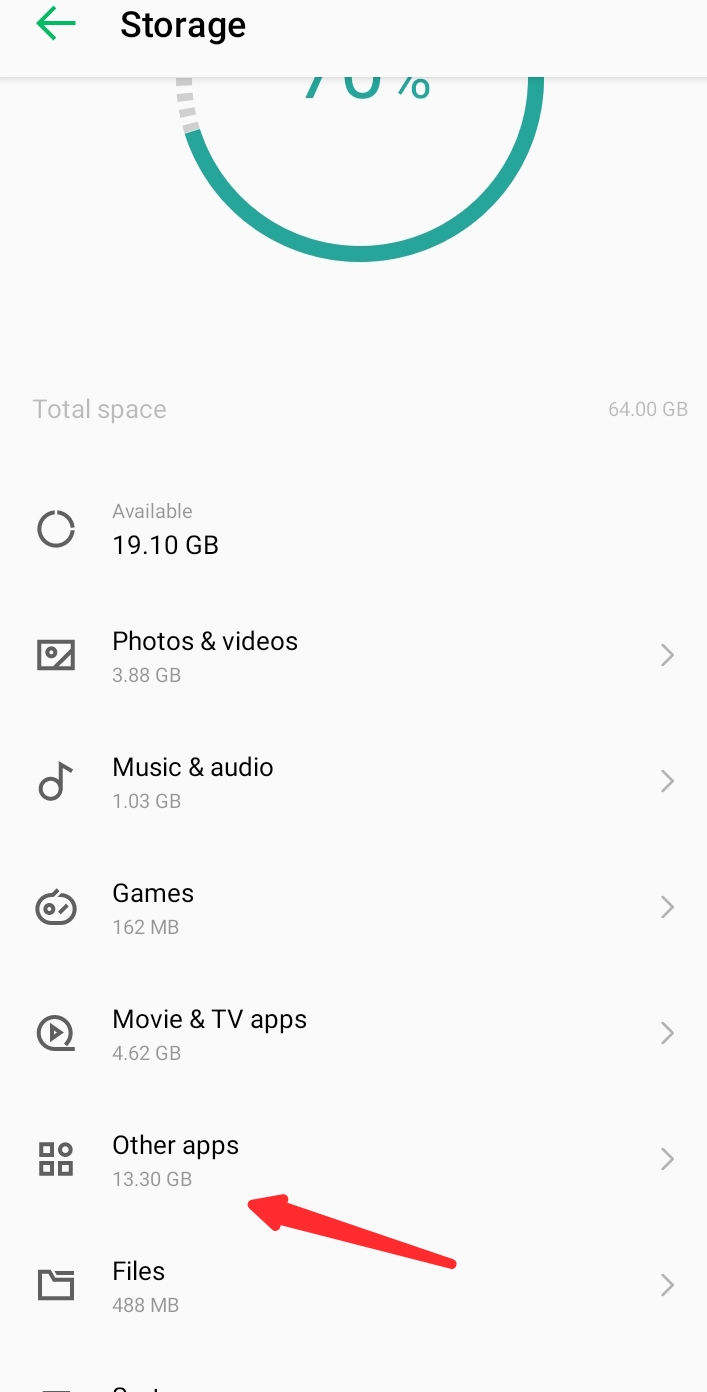
2. Select “Storage” or “Storage & memory.

3. Click on the internal storage

4 . Click on other apps
Choose any App
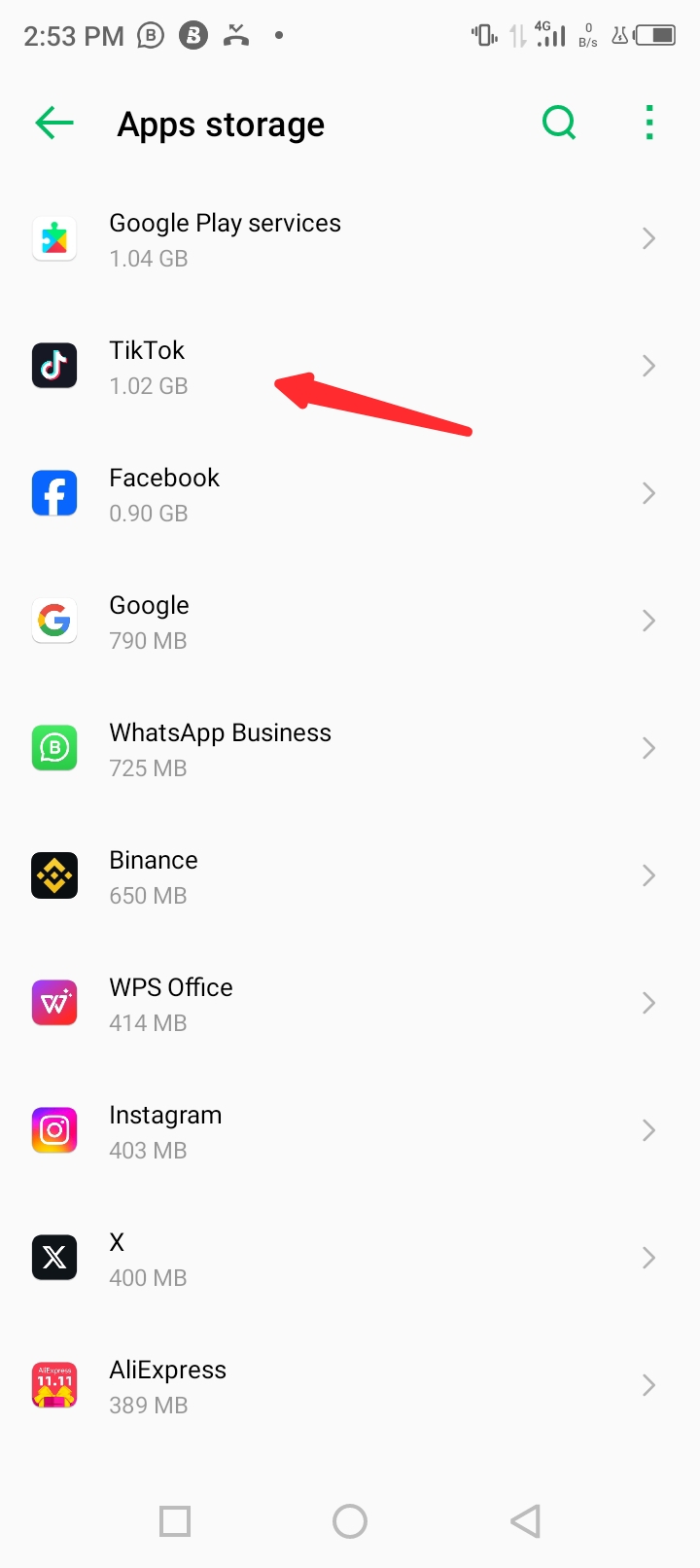
“Tap on “Cached Data” and confirm to clear.

iOS (iPhone):
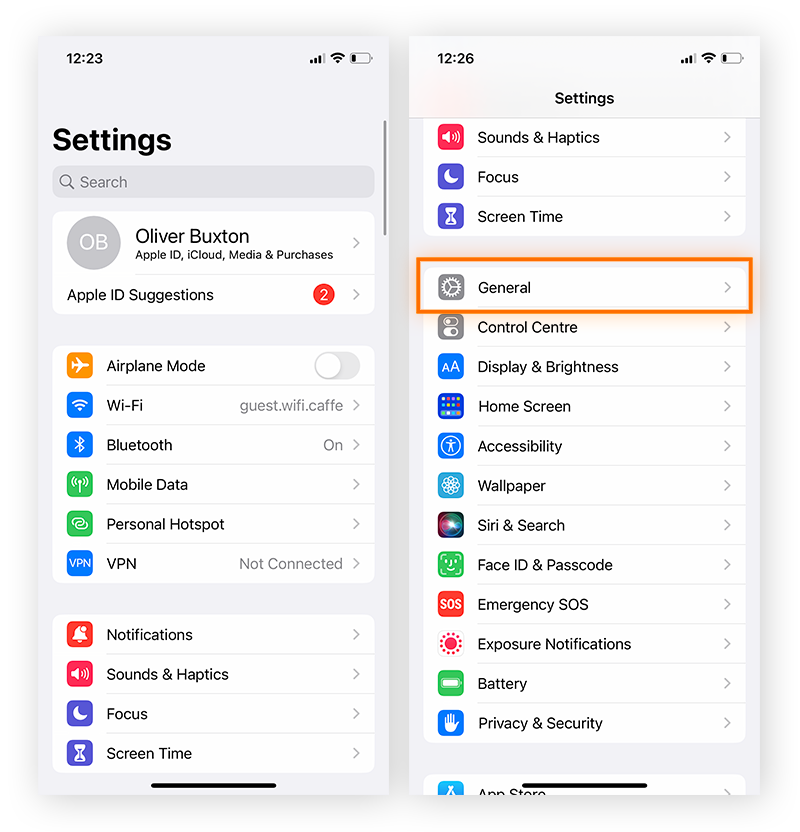
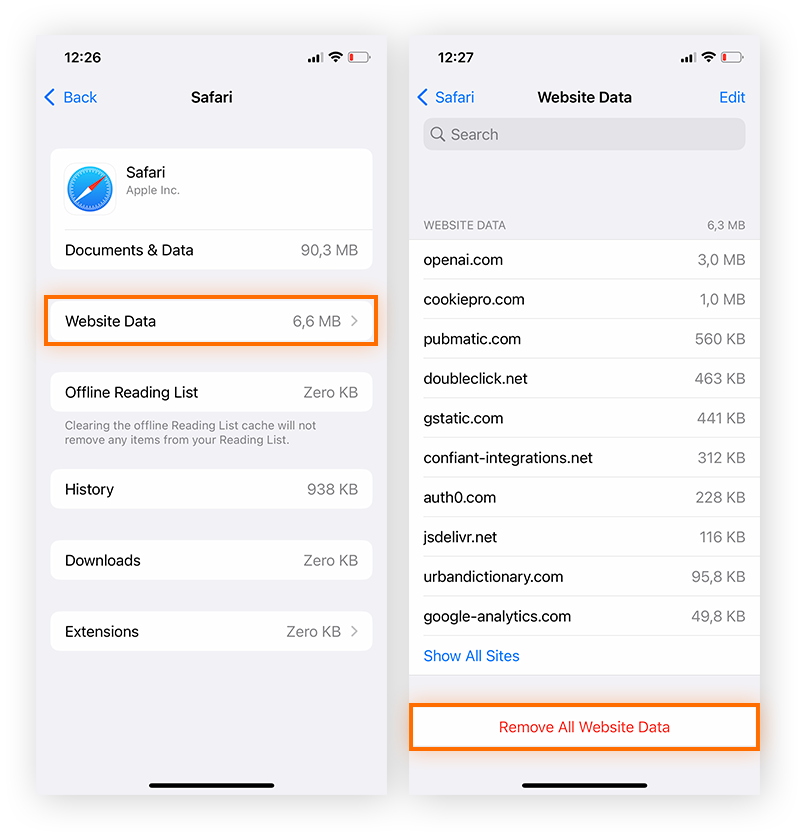
- Go to Settings.
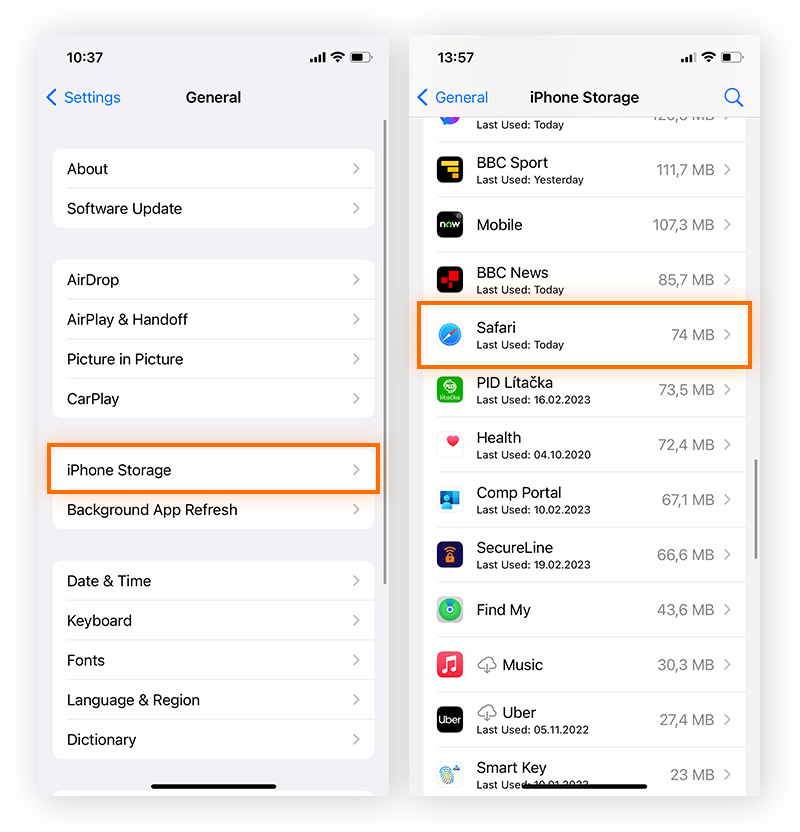
- Scroll down and select the app for which you want to clear the cache.
- Look for the “Clear App Cache” option within the app settings.1
- Regularly clearing cache can help free up storage space and improve overall device performance.
I hope this content is helpful to you. Please kindly leave a comment and subscribe to my website. Thanks
LATEST TRENDING STORIES
- DENKYIRA TRADITIONAL COUNCIL HOLDS PRESS CONFERENCE

- Yawvi: North Tongu’s Hardest New Voice Poised to Take Music to the Next Level

- Hon. Emelia Ankomah Inspects Ongoing Major projects in the Municipality

- Denkyira Musicians Needs Major Push To Limelight-Kobby oxy

- Ghanaian Music Set for a Historic Showdown as Kweku Smoke and Black Sherif Prepare to Drop on the Same Day

- I Will Control Any Man That Marries Me- Ayra Star.

- Dunkwahene Is On The Run As Odeefuo Boa-Amposem IV Storms Dunkwa For Akwasidae.

- Kwesi Songs Set to Unveil New Single “ADEN (WHY)” Featuring Yaw Fave.

- Africa Business Investment Summit 2026: A Powerful Celebration of Africa’s Investment Potential in Washington, D.C.

- BREAKING: Immigration Officers Flood Accra Streets, Arrest Foreign Nationals Over Alleged Begging

- DENKYIRA ODWIRA FESTIVAL IS LOADING , THE ORIGINATOR IS HERE ONCE AGAIN

- Denkyirahene Sworn In as President of Denkyira Traditional Council
- KIDNEY FAILURE; WHAT DOES FOAMY URINE MEAN?

- GoldBod CEO Calls for Youth-Centred Social License in Ghana’s Mining Sector







Leave a Reply